
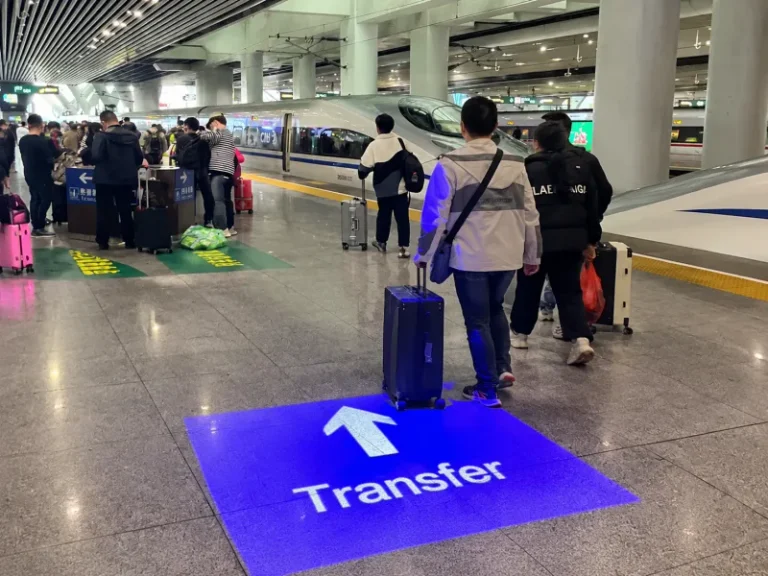
Airports, subway stations, railway terminals, shopping malls, and hotels all need clear signage to help people find their destinations. From subway line transfers and KTX railway platforms to airport customs, baggage claim areas, restrooms, lounges, and elevator halls, effective wayfinding makes navigating large public spaces easier.
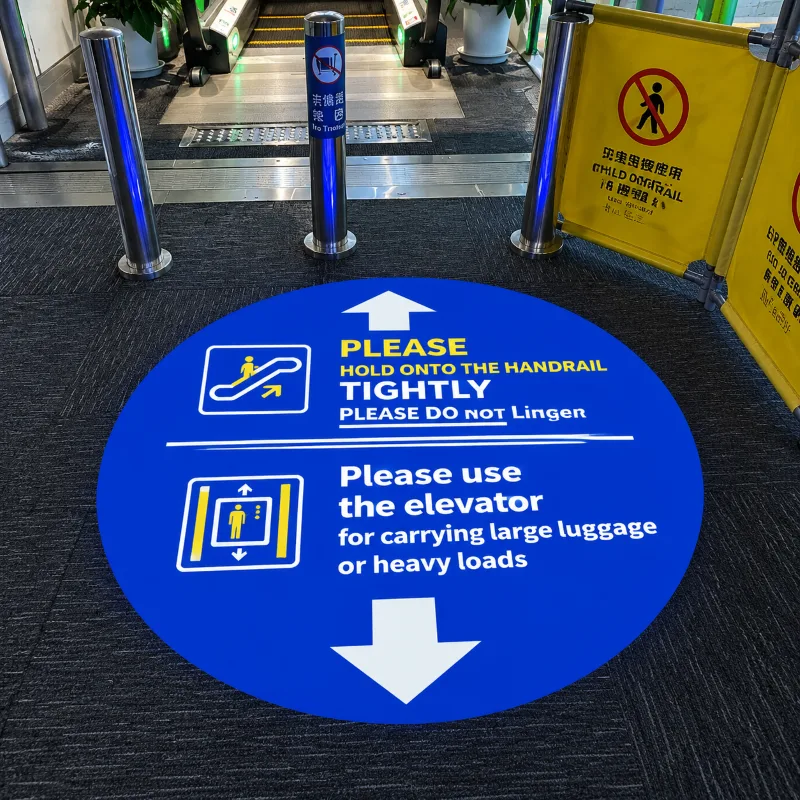
However, traditional signage systems have several limitations. Floor stickers can peel, fade, or wear out under constant foot traffic and frequent cleaning. Printed signs and fixed signboards can also be inconvenient to replace when routes, facilities, or building layouts change.
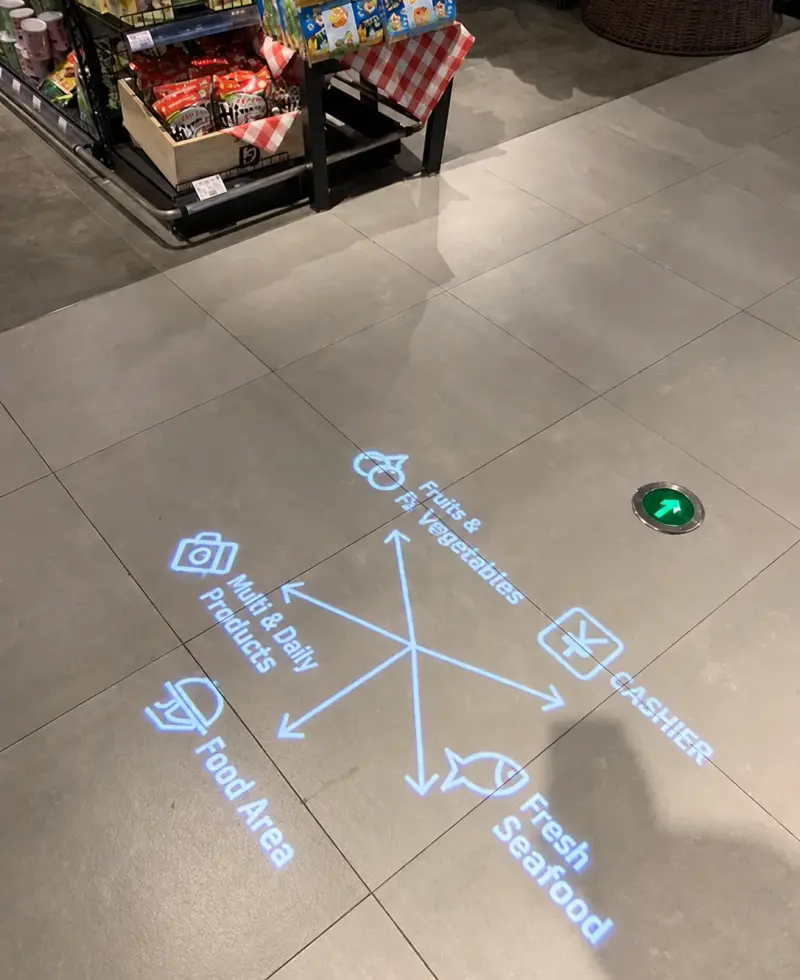
A signage projection light offers a flexible alternative. By projecting directional arrows, text, symbols, and customized graphics directly onto floors or walls, it helps visitors identify routes and locate facilities without relying entirely on traditional printed floor signs.
For businesses and project developers looking for customized projection solutions, Aladdin provides custom gobo projector solutions for different commercial applications.
1. What Is a Signage Projection Light?
A signage projection light is a commercial optical projection device designed to display directional information, text, symbols, logos, and other graphics on floors or walls.
Once installed and powered on, the projector displays the selected image on a designated surface. Visitors can use the projected information to identify the correct direction, locate specific facilities, or recognize different areas within a building.
Depending on the equipment and customized projection pattern, common applications include:
Directional arrows indicating left, right, straight ahead, entrances, and exits.
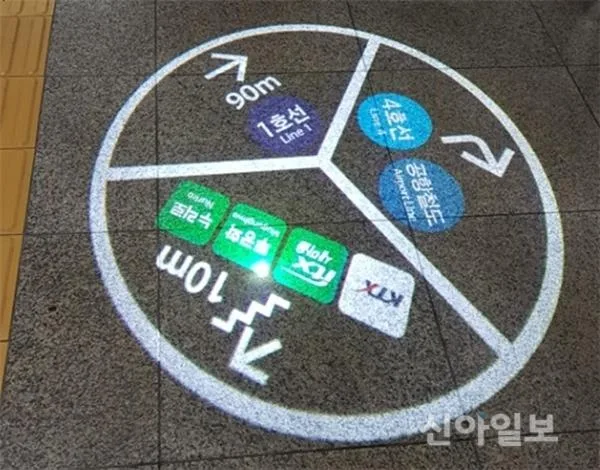
Subway line numbers, transfer directions, and railway platform information.
Airport customs, immigration, baggage claim, and departure area signs.
Restroom, elevator, escalator, lounge, and information desk indicators.
Store names, cashier signs, fitting room directions, and brand logos.
Customized text, symbols, and graphics designed for specific locations.
Unlike a conventional signboard, a floor sign projector can display information directly on the walking surface. The projected image disappears when the device is switched off, leaving no physical sticker or printed marking on the surface.
For more information about the technology behind these devices, read Aladdin’s guide to what a projection light is and how gobo projectors work.
2. Why Choose a Signage Projection Light for Wayfinding?
Clear and Visible Directional Guidance
In large public buildings, visitors may find it difficult to identify the correct route, especially when several corridors, entrances, platforms, or service areas are located close together.
A signage projection light displays arrows, text, and symbols directly on a suitable floor or wall surface. This provides an additional visual reference for people looking for their destinations.
For example, projected arrows can guide passengers toward a subway transfer corridor, indicate the direction of a railway platform, or help airport visitors locate customs and baggage claim areas.
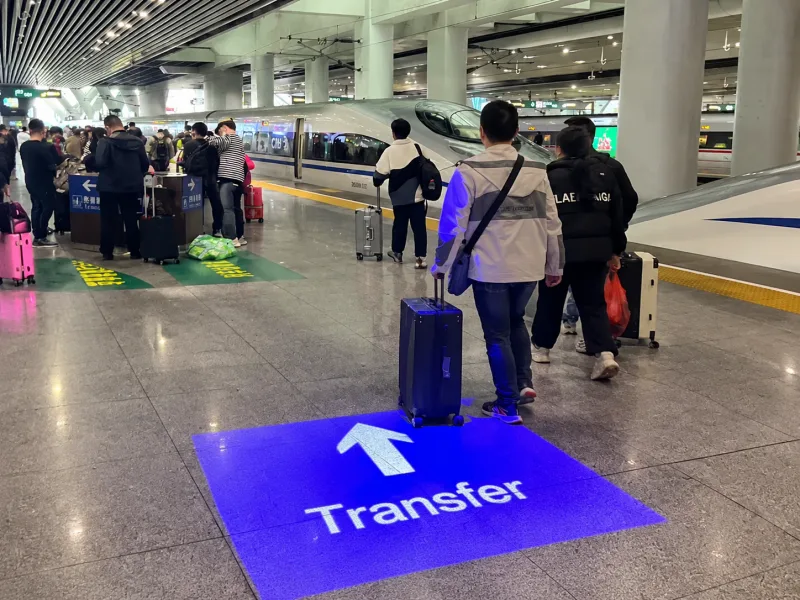
The final visibility depends on projector brightness, installation position, projection distance, surface conditions, and ambient lighting.
Customized Projection Patterns
Different venues have different wayfinding requirements. An airport may need multilingual directional signs, while a shopping mall may need to identify restrooms, elevators, lounges, and individual retail areas.
A custom signage projection light can display graphics based on the requirements of each project. Customers can provide text, symbols, arrows, logos, or graphic designs for a customized projection pattern.
For example, transportation facilities can use line numbers and transfer arrows, while commercial spaces can display store logos, cashier indicators, and facility directions.
Learn more about Aladdin’s custom projection design and OEM/ODM services for project-specific graphics and equipment requirements.
Reduced Dependence on Traditional Floor Stickers
Traditional floor stickers are exposed to constant foot traffic, cleaning, and surface wear. In busy locations such as subway stations, airports, and shopping malls, these factors can make regular inspection and replacement necessary.
Projected signage displays information without requiring an adhesive graphic at every floor location. This can reduce dependence on certain types of printed floor signs and simplify some maintenance tasks.
For compatible models with replaceable gobo slides, the projected pattern can also be updated without replacing the entire physical sign. The available replacement method depends on the selected equipment.
A Clean and Modern Visual Appearance
Projected signage can provide directional information without requiring a separate physical sign at every display point.
In airports, railway terminals, hotels, and shopping malls, customized projections can complement the surrounding interior design while helping visitors locate important facilities.
A hotel can project an elevator indicator near a corridor entrance. A shopping mall can display a restroom symbol or directional arrow at a key junction. A retail store can project its logo or cashier indicator to help customers identify the appropriate area.
3. Applications of Signage Projection Lights
| Application | Example Projection Content |
| Airports | Customs, immigration, baggage claim, departures, arrivals |
| Subway Stations | Line numbers, transfer arrows, exits, platform directions |
| Railway Stations | KTX platform directions, boarding areas, waiting lounges |
| Shopping Malls | Restrooms, elevators, escalators, lounges, cashier areas |
| Hotels | Floor numbers, elevators, restaurants, guest facilities |
| Retail Stores | Store names, fitting rooms, cashier signs, brand logos |
| Exhibition Centers | Hall numbers, registration, exhibition areas, event directions |
Airports, subway stations, railway terminals, shopping malls, hotels, and exhibition centers each have different wayfinding needs. Matching the application scenario with a suitable projection pattern helps visitors recognize information quickly.
Airports: Customs, Immigration, and Baggage Claim
Suggested patterns: “CUSTOMS →”, “BAGGAGE CLAIM →”, “DEPARTURES →”, “ARRIVALS →”, check-in counter numbers, and elevator or escalator symbols. Use short wording, familiar symbols, and multilingual content where needed. Place projections near corridor intersections or before a decision point, and keep all wording consistent with official airport signs.
Subway Stations: Line Transfers and Exit Directions
Suggested patterns: subway line number + transfer arrow (for example, “LINE 2 → LINE 5”), “EXIT →”, entrance indicators, and platform directions. A line number paired with an arrow is more informative than an arrow alone. Confirm line colors, numbering, and exit names against the station operator’s current information.
Railway Stations and KTX Passenger Guidance
Suggested patterns: “PLATFORM 08 →”, boarding-area indicators, waiting-room symbols, transfer arrows, and station-exit directions. In KTX and other high-speed rail stations, use clear platform numbers and concise wording. Projection content should supplement—not replace—official station signage and must match current operating information.
Shopping Malls, Hotels, and Retail Spaces
Suggested patterns: restroom symbols, elevator and escalator icons, “INFORMATION →”, “LOUNGE →”, “CASHIER →”, fitting-room indicators, floor numbers, restaurant directions, and customized store logos. Prioritize recognizable symbols and position projections near key junctions or facility entrances.
Exhibition Centers and Event Venues
Suggested patterns: hall numbers, registration desks, ticketing, event areas, conference rooms, and temporary queue directions. For events, confirm whether content needs to change between sessions and whether the selected projector supports the required pattern-changing method.
Projection Pattern Examples
The examples below are conceptual mockups showing how short text, arrows, line numbers, and facility directions can be combined. Final artwork should be adapted to the venue’s language, brand guidelines, gobo format, and viewing conditions.
| Application | Suggested projection content |
| Airport | Customs, baggage claim, departures/arrivals, check-in, elevators |
| Subway station | Line numbers, transfer arrows, exit directions, platform guidance |
| Railway / KTX station | Platform number, boarding area, waiting room, station exit |
| Shopping mall | Restroom, elevator/escalator, information desk, cashier, store logo |
| Hotel | Floor number, elevator, restaurant, guest facilities, lounge |
| Retail store | Store name, fitting room, cashier, brand logo |
| Exhibition center | Hall number, registration, exhibition zone, event directions |
The final image size, sharpness, color, and contrast depend on the projector’s optical design, lens, projection distance, gobo specifications, target surface, and ambient light. Confirm these factors before production. For background on image materials and compatibility, see Aladdin’s guide to gobo materials, types, and applications.

5. How to Plan a Signage Projection Light Solution
Before selecting a signage projection light, it is important to understand the location, the information that needs to be displayed, and the expected viewing conditions.
First, identify the wayfinding requirements. Determine whether the projection is intended to guide passengers between subway lines, direct travelers toward airport facilities, or help shoppers locate elevators and restrooms.
Second, confirm the installation position and projection distance. Measure the distance between the projector and the target floor or wall. These measurements help determine the appropriate projection size and equipment configuration.
Third, consider ambient lighting. Airports, shopping malls, and railway stations can have bright lighting conditions. The selected projector should provide suitable visibility for the intended environment.
Fourth, determine the customization requirements. Confirm the required text, symbols, languages, arrows, and other graphic details before preparing the projection pattern.
Finally, verify the information and test the result. For public transportation facilities and airports, projected directions should match official wayfinding information. On-site testing can help verify the projection angle, visibility, and readability before wider installation.
For help evaluating projection distance, image size, mounting position, and equipment configuration, visit Aladdin’s projection light service and support page.

Preliminary Wattage and Projection-Size Reference
For railway and KTX signage projects, wattage should be selected according to the installation distance, ambient brightness, required image size, and optical system—not by wattage alone. The ranges below are an initial discussion guide for ordinary indoor environments, not a guaranteed specification. Actual visibility must be confirmed with the selected model and an on-site test.
Important: wattage does not directly determine projected image dimensions. Image size is primarily affected by projection distance and lens/optical angle; for the same lens, increasing distance generally increases the image size but can reduce illuminance and apparent sharpness. Brightness, focus, gobo detail, and ambient light also affect readability. Ask the supplier to calculate or test the expected image size at the actual mounting distance before confirming the model.
Example enquiry for a KTX platform sign: provide the required wording (such as “PLATFORM 08 →”), mounting height or projection distance, desired image width, target surface, and approximate ambient-light conditions. The supplier can then recommend a suitable wattage and lens combination and confirm the result with a sample or on-site test.
| Preliminary class | Possible use case | What to confirm | Selection note |
| Lower output (e.g. 20–30 W LED) | Short projection distance, relatively dim indoor corridor, compact symbol | Ambient light and required contrast | Consider only after checking model brightness and target conditions |
| Medium output (e.g. 40–60 W LED) | Typical indoor wayfinding where the projection distance or ambient light is moderate | Lens, distance, image size, surface color | A starting point for supplier evaluation, not a universal recommendation |
| Higher output (e.g. 80 W LED and above) | Longer projection distance or brighter environment | Actual luminous output, lens options, heat dissipation, installation limits | Test whether the added output improves legibility at the intended location |
Conclusion
From subway line transfers and KTX platform directions to airport customs, baggage claim, shopping mall restrooms, lounges, and elevator halls, clear wayfinding is essential in places where people need to navigate large or unfamiliar spaces.
A signage projection light provides a flexible way to display directional arrows, facility symbols, text, and customized graphics directly onto floors or walls. By reducing reliance on certain printed floor signs and supporting customized projection patterns, it can help venues improve the visibility and adaptability of their wayfinding systems.
For airports, railway stations, subway stations, shopping malls, hotels, and exhibition centers, the right projection solution can be planned around the venue’s layout, directional requirements, ambient lighting, and installation conditions.
Aladdin provides customized projection lighting solutions for different commercial applications. To discuss your project, share your required projection patterns, installation location, projection distance, and desired image size through the Aladdin website.
