
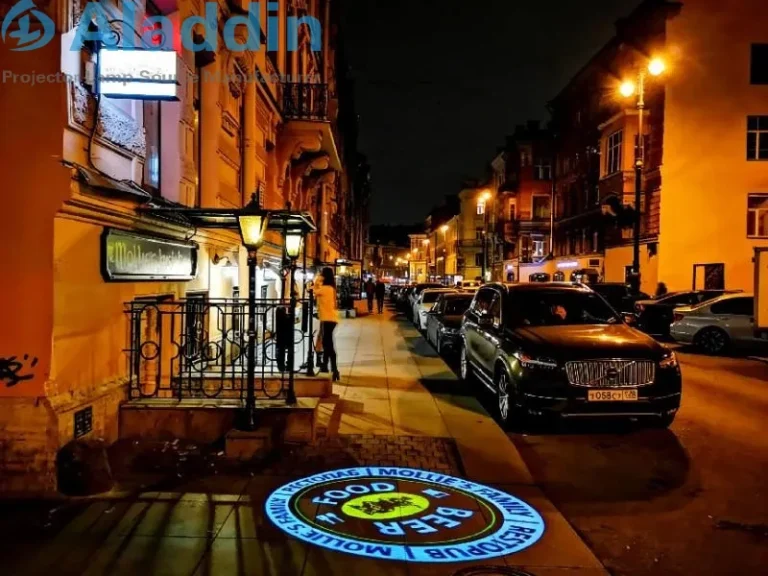
“Can I make the projected logo larger?” “Can I reduce the image size without moving the light?” These are common questions when choosing a gobo projector. To answer them, it helps to separate three things: lens focal length, focus adjustment, and image correction. Each affects the projection in a different way.
A Fixed Focal Length Determines the Projection Angle
A fixed focal length gobo projector uses a lens with a largely fixed projection angle. With the same lens, increasing the distance between the projector and the surface generally makes the projected image larger. Moving the projector closer generally makes it smaller.
That is why we ask for both the projection distance and the desired image size before recommending a lens. A logo projected from a low indoor ceiling may need a different lens angle from the same logo projected onto a building facade. Rotating the focus section of the lens will sharpen the image, but it will not give you the wide size adjustment of a zoom lens.Different‑aspect‑ratio lenses can produce images of varying sizes.
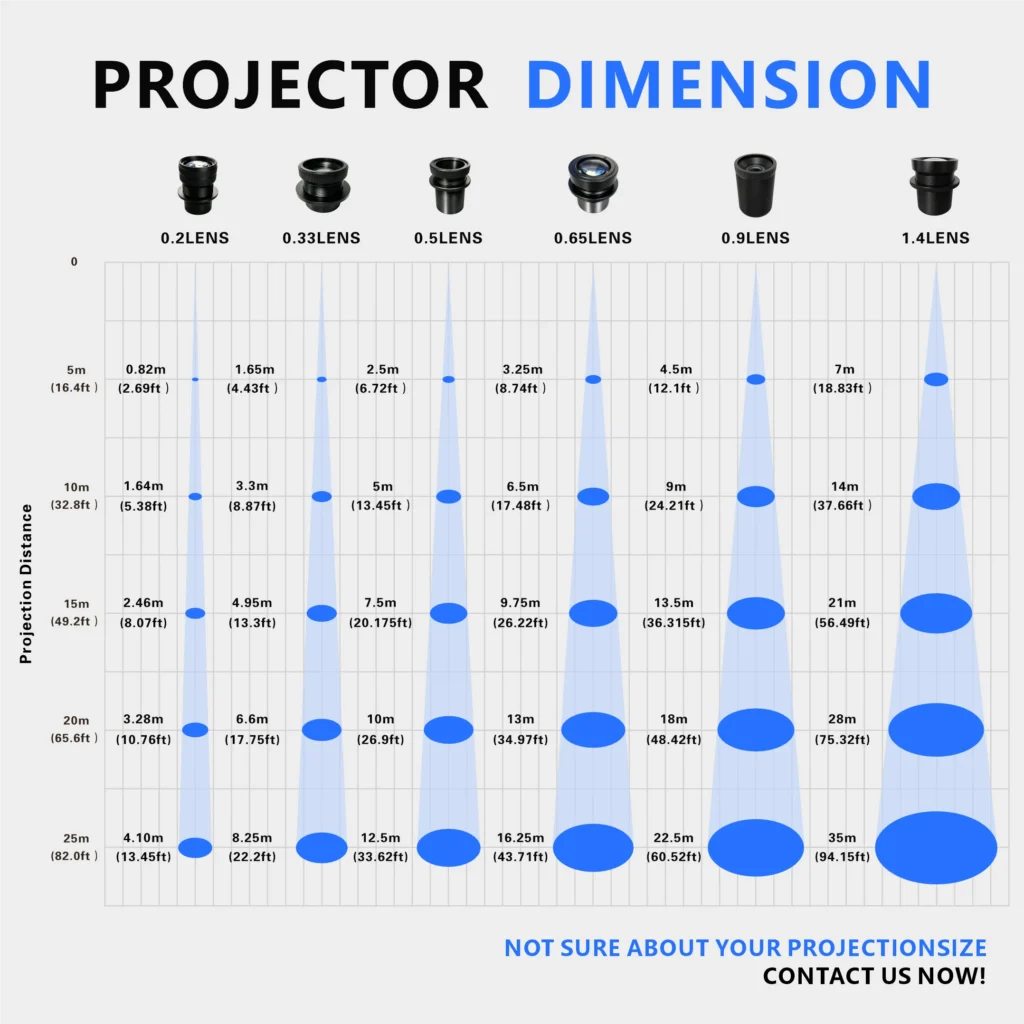
A fixed focal length design lets us select the optical setup around a planned installation. It is suitable for applications such as storefront logo projection and industrial safety sign projection, where the mounting position is usually decided in advance. It does not mean every project must use the same image size: the lens can be selected to suit the installation distance and target area.
For more information on lens selection and estimating projection size, see our gobo projector FAQ.
Fixed Focal Length Does Not Mean Fixed Focus
The two terms sound similar, but they describe different adjustments:
- Focal length and lens angle mainly determine how large the image appears at a given distance.
- Focus adjustment makes the projected image sharper on the target surface.
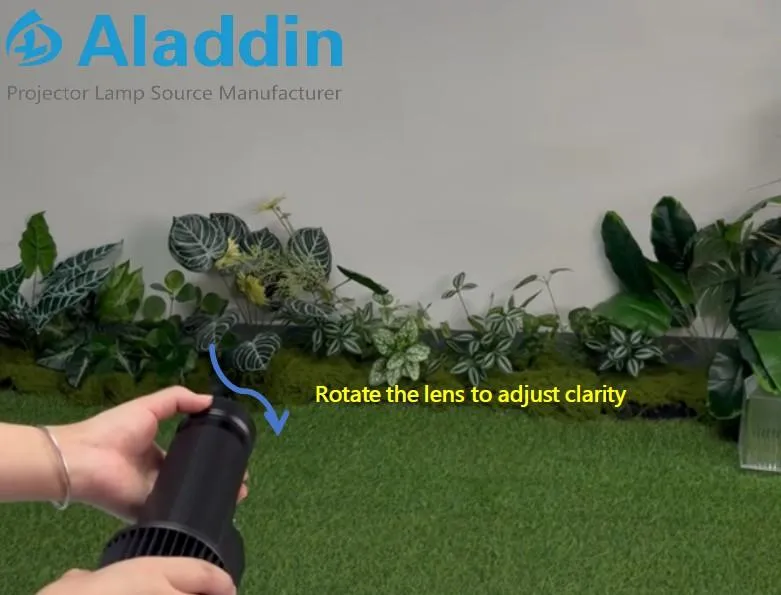
Many fixed focal length gobo projectors still allow manual focus adjustment. On these models, you rotate the lens section to bring the edges of the logo, text, or warning symbol into focus.
For example, if the letters in a projected “CAUTION” sign look soft, check the focus first. If the entire sign is sharp but too small, further focus adjustment is unlikely to solve the size problem. Instead, review the projection distance, required image dimensions, and lens angle.
What Should You Confirm Before Choosing a Lens?
To recommend a suitable gobo projector lens, we need four details:
- Projection distance: How far is the mounting position from the wall or floor?
- Desired image size: How wide and tall should the projected logo or pattern be?
- Projection surface: Is it a flat wall, a floor, or an angled or uneven surface?
- Projector position: Can the light face the surface directly, or must it project from an angle?
These details help determine the lens and installation plan. The final point also leads to another question: Why does a projected image sometimes look distorted even when it is in focus?
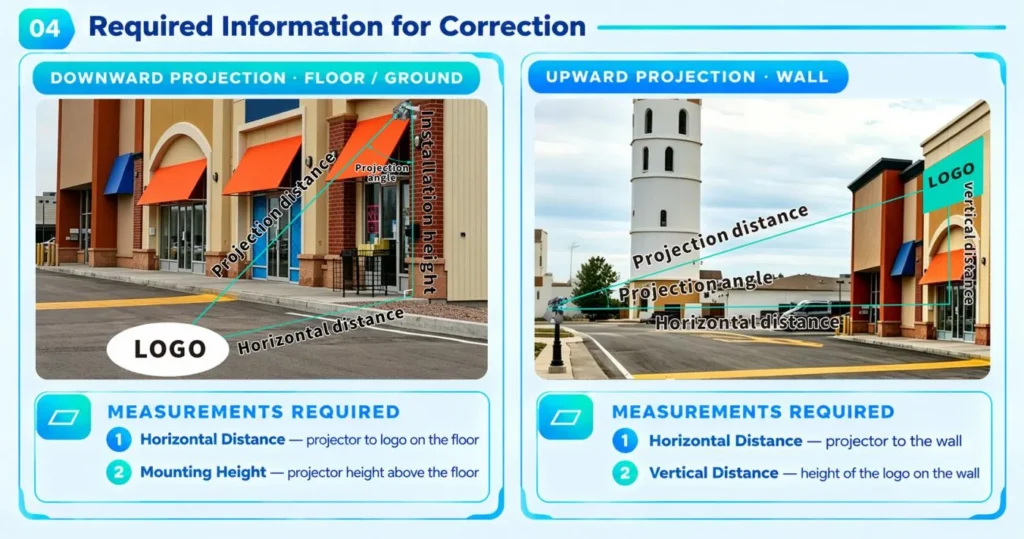
When a projector shines onto a surface from an angle, a circle may appear oval, or a rectangular design may look wider at one end. This is a geometry issue. Adjusting the focus can make the edges clearer, but it cannot restore the intended shape.
In such cases, the artwork may need to be prepared for the actual projection angle. You can read more about angled projection in our gobo projector FAQ. If you would like us to review your installation, send your artwork, projection distance, target image size, and installation photos to liufei@tydlogo.com. Our team can advise on lens selection and whether the design needs image correction.