
Advertising projector lights are popular for their sharp images, eye-catching effects, and flexible pattern changes – perfect for storefronts, events, and ambiance creation. But many users search for how to change advertising projector pattern without damaging the device, reversing the slide, or ruining the waterproof seal.
The truth? How to change advertising projector pattern is super easy. No special tools needed. Follow this guide (using the LQ 35W as an example), and you’ll get it done in one minute. Plus, we’ll cover advertising projector lamp life so you know how long your device will last.
1. Before You Start: Safety First
- Unplug & cool down – Disconnect power and wait for the unit to cool. Prevents burns and protects components.
- Simple tools – A small screwdriver or even a pen tip works (to help unscrew rings). No complex toolkit required.
- Check your new slide – Glossy side = front (faces down into the unit). The reverse side has a reflective coating. Double-check text orientation so your projection isn’t reversed.
2. Step-by-Step: Advertising Projector How to Change Pattern (1 Minute)
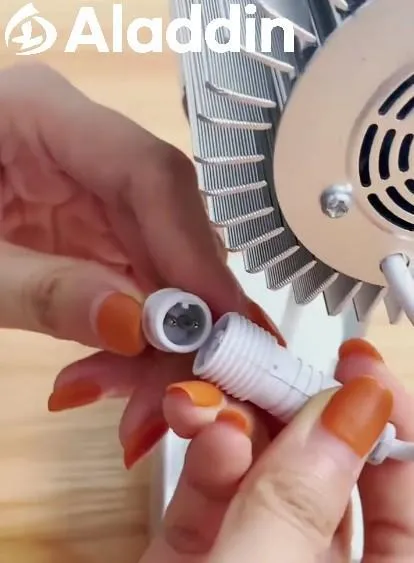
Step 1: Open the waterproof connector
Find the connector, turn it counterclockwise, and gently pull to disconnect power. Critical for safety – and for outdoor units, don’t skip this.

Step 2: Remove the heat sink
Once the connector is off, the heat sink sits at the rear. Turn it counterclockwise to remove it. Underneath is the slide compartment – handle carefully. This is the core of how to swap out a gobo projector image
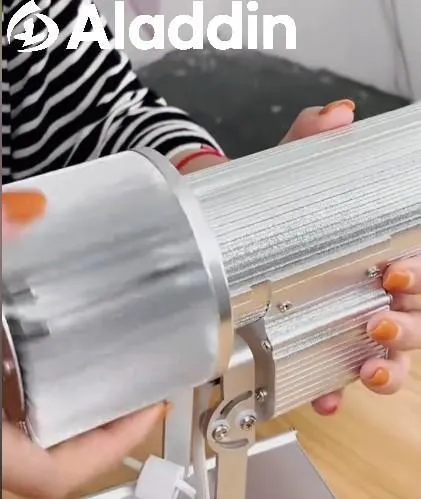
Step 3: Unscrew the retaining ring & remove the old slide
Use your screwdriver or pen tip to unscrew the ring holding the slide in place. Keep the ring somewhere safe. Remove the old slide – store it in a clean, dry place if you plan to reuse it. If you’re learning advertising projector how to change pattern, this step is where most people hesitate — just go slowly.
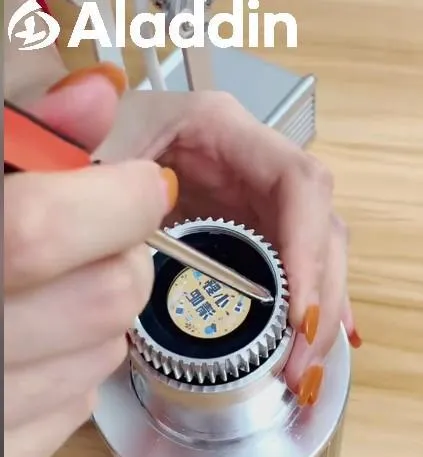
Step 4: Insert the new slide (correct orientation is key)
Glossy side faces down into the compartment. Check the text – using a “lobster hotpot” pattern as an example, you should see the words correctly (not mirrored). Once aligned, screw the retaining ring back in tightly – a loose ring causes blurry projections.
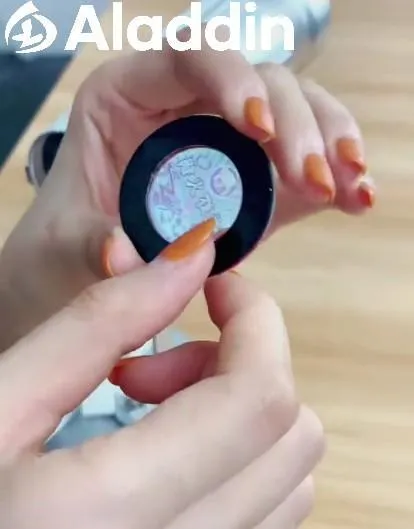
Step 5: Reattach the heat sink & waterproof connector
Screw the heat sink back on firmly, then reconnect the waterproof connector (push in, then turn clockwise to seal). Outdoor use? This keeps moisture out.
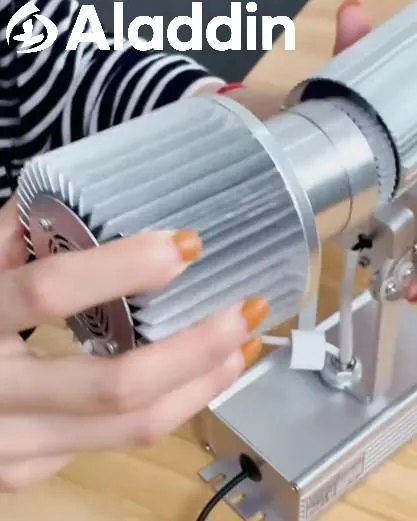
Step 6: Power on & test
Plug back in. If the image is sharp, bright, and properly oriented – congratulations, you’ve mastered how to change advertising projector pattern.
3. Advertising Projector Lamp Life: How Long Will It Last?
One common question is advertising projector lamp life. For most LED advertising projectors (including the LQ35W model), advertising projector lamp life typically ranges from 30,000 to 50,000 hours. That means years of daily use before you need a replacement.
Factors that affect advertising projector lamp life:
- Heat management – Poor ventilation shortens advertising projector lamp life. Always keep vents unblocked.
- Power stability – Frequent surges can reduce advertising projector lamp life. Use a surge protector if possible.
- Cleaning habits – Dust buildup traps heat, directly impacting advertising projector lamp life.
- Cool-down before unplugging – Letting the fan run after shutdown helps extend advertising projector lamp life.
If you notice dimming or color shifts, your event advertising projector lamp long life may be ending — time for a new unit or LED module.
4. Pro Tips: Small Details, Big Difference
Blurry, upside-down, or water-damaged results? You probably missed one of these:
- Slide direction – Glossy side down, text readable from above. Reversing it makes the image dim and inverted.
- Tighten everything – Retaining ring, heat sink, and connector all need to be snug. Looseness kills image quality and waterproofing.
- Handle slides gently – They scratch and smudge easily. Avoid touching the printed surface with fingers.
- Let it cool – Never open a hot projector. You’ll risk burns and component damage.
5. Daily Maintenance Tips (Longer Life, Better Performance)
- Clean lenses & slides – Use a soft, dry cloth regularly to prevent dust buildup.
- Keep vents clear – Place the projector in a well-ventilated area to avoid overheating — this also protects advertising projector lamp life.
- Long-term storage – Unplug the unit. Store slides in a dry, dust-proof container.
- Check outdoor seals – Periodically inspect the waterproof connector, especially after bad weather.
Final Word:
Now you know how to change advertising projector pattern in under a minute, no technician required. And with proper care, advertising projector lamp life will give you years of sharp, vibrant projections. Seasonal promos, new products, different event vibes — change patterns yourself and keep your messaging fresh. Try it — you’ve got this.