
If your projector light remote suddenly stops working, don’t panic! Even with fully charged batteries, pressing the buttons sometimes produces no response from the light. In most cases, this is not a hardware problem—the remote and projector may have lost their pairing. Here’s a step-by-step guide to re-pairing your projector remote, along with a detailed explanation of the button functions, so you can quickly get your projector light back to normal.
Before starting, make sure to check the basics: confirm that the remote has power, batteries are installed correctly, and there’s no loose contact. Once simple issues like dead batteries are ruled out, you can begin re-pairing. The process is simple and does not require any professional tools.
How to Re-Pair Your Projector Light Remote
- Power off the projector light completely to ensure it has stopped running.
- Press and hold the remote power button for 3 seconds, then reconnect power to the projector light.
- Watch for the light to flash once and turn on normally, indicating the pairing is successful.
- Test each button on the remote to confirm full control of the projector light.
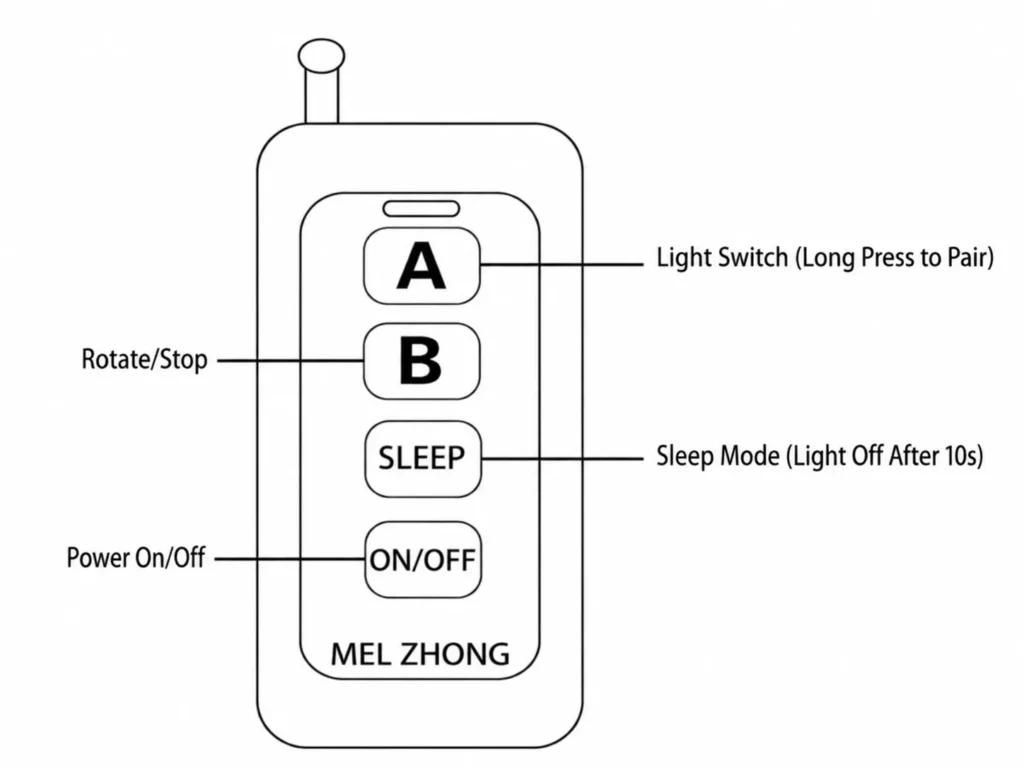
Projector Light Remote Button Functions
Most projector light remotes come with four essential buttons, making operation simple and intuitive:
- Power On Button: Turns on the projector light and starts projecting images.
- Power Off Button: Shuts down the projector light completely.
- Rotation Button: When enabled, the projected patterns on the wall rotate continuously, creating dynamic visual effects.
- Static Button: Freezes the projected pattern, keeping a fixed image on the wall.
Why Remote Pairing Fails
Remote disconnection can occur due to voltage fluctuations, repeated power cuts, or long periods of inactivity. When the remote fails, there’s no need to rush for repairs or replacement parts. Following the re-pairing steps above usually resolves the issue.
Most of our projection lights come with remote controls. This includes single-pattern projection lights, multi-pattern projection lights, single-color and color-gradient water wave lights, star laser lights and aurora water wave lights. They are easy to operate. Feel free to email us if you are interested, and I will send you our product catalog.
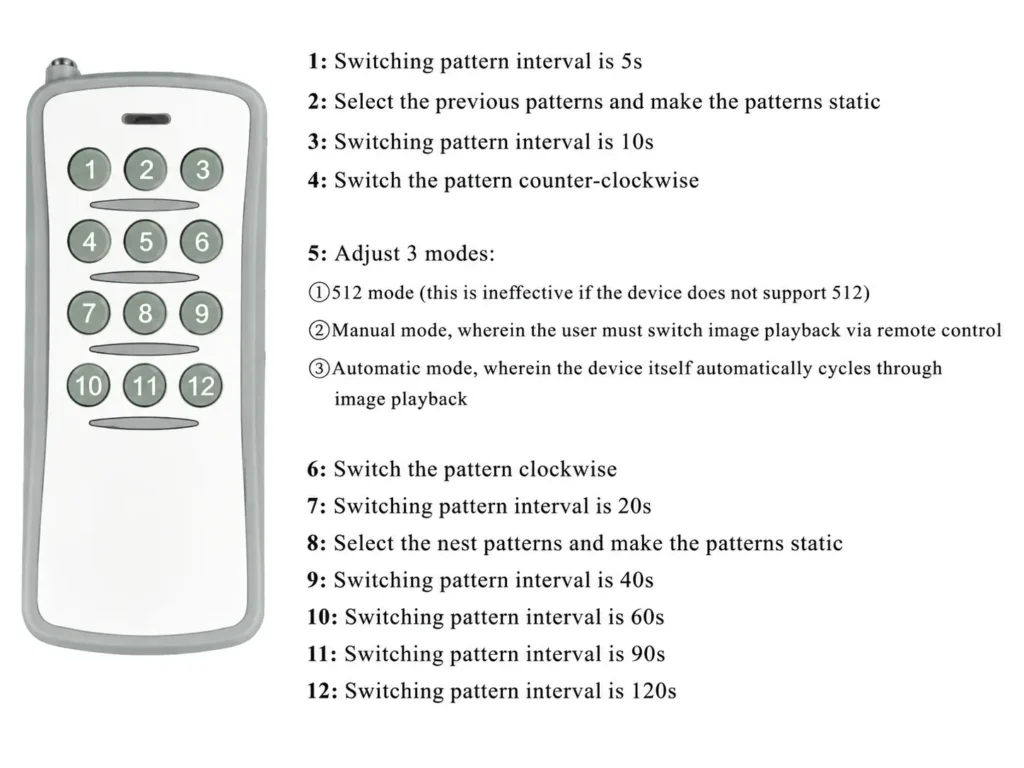
Mastering this simple trick ensures that you can handle projector light remote failures effortlessly. Switching between dynamic rotation and static projection modes also allows you to create versatile lighting effects for home theaters, stage performances, parties, or decorative wall projections. Share this practical method with friends or colleagues who might face the same issue.